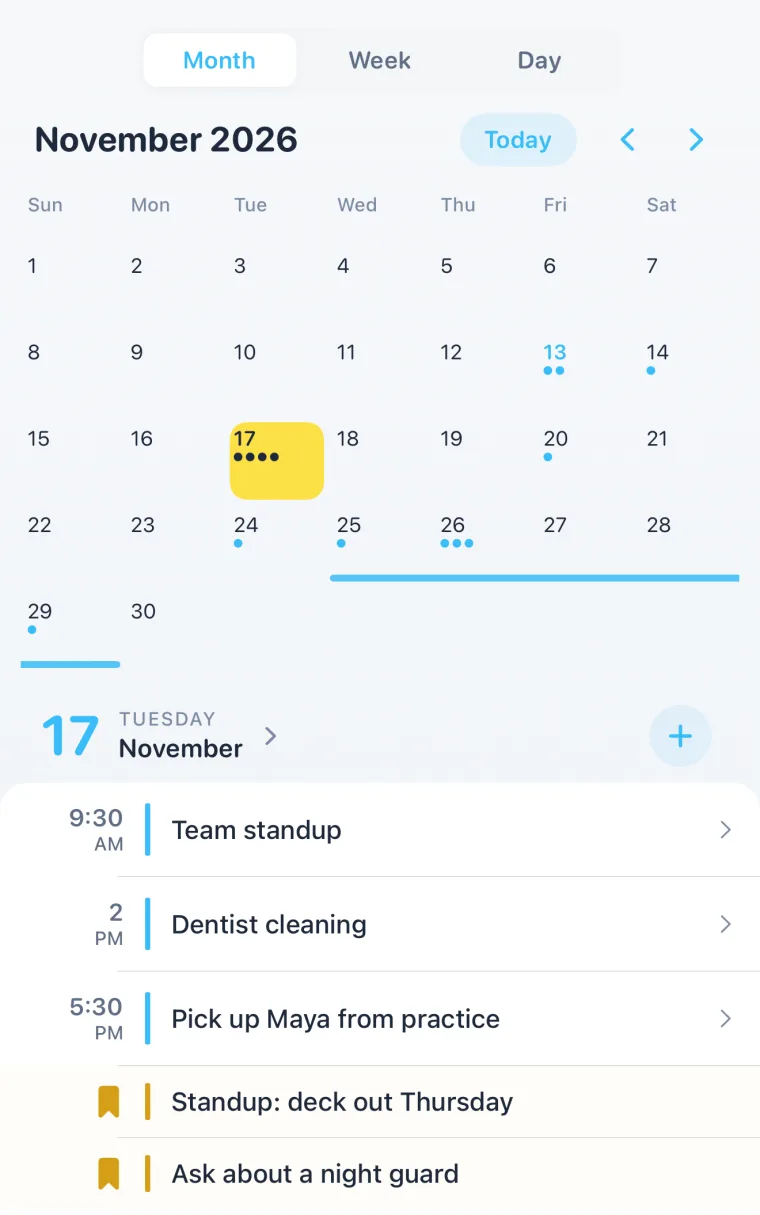
To share a calendar on iPhone, open the Calendar app, tap Calendars at the bottom, tap the Info button (i) next to an iCloud calendar, tap Add Person, enter their email address or pick a contact, then tap Add. They get an invitation, and once they accept, the calendar and every event on it shows up on their iPhone too.
That’s the whole thing for two iPhones. The rest of this guide covers the cases that trip people up: a calendar that isn’t iCloud, a partner on Android, sharing one event instead of everything, and what to do when the shared calendar never appears.
Step by step: share an iCloud calendar on iPhone
These are Apple’s steps for the Calendar app on current iOS (Apple’s guide, checked November 14, 2026).
- Open the Calendar app and tap Calendars at the bottom.
- Make a calendar just for the two of you (optional, but better). Tap Add Calendar, then Add Calendar again, give it a name like “Us” or “Home”, and tap Done. A separate calendar means you share the dentist and the date nights, not your work meetings.
- Tap the Info button (i) next to the iCloud calendar you want to share.
- Tap Add Person, then type a name or email address, or tap the plus to pick from your contacts. Apple requires an email address for the person you invite.
- Tap Add. They get an invitation. Nothing shows on their phone until they accept it.
View only or edit?
New people can edit by default. To change that, go back to Calendars, tap the Info button next to the shared calendar, tap the person’s name, and turn Allow Editing on or off. From the same screen, Delete stops sharing with them.
For a partner, leave editing on. The point is that either of you can add the school play and both phones know about it.
Tired of “shared calendar changed” alerts?
Every time the other person adds or moves something, you get a notification. To turn those off: Settings > Notifications > Calendar > Customize Notifications, then turn off Shared Calendar Changes.
Why the Share option is missing on your calendar
Apple’s Add Person sharing only works for iCloud calendars. If the Info screen has no Add Person, the calendar belongs to another account:
- “On My iPhone” calendars live only on that phone and can’t be shared. Make a new iCloud calendar and move the events you care about.
- Google, Outlook or work calendars are shared from that service, not from Apple’s sharing screen. The Google steps are below.
- iCloud isn’t your default. When you add a calendar, tap Accounts and choose iCloud, or new calendars land in the wrong account.
Share a calendar with someone who doesn’t use iCloud
Two options, depending on what they need.
They only need to see it. On the Info screen of an iCloud calendar, turn on Public Calendar, tap Share Link, and send the link by Messages or Mail. Anyone with the link can subscribe in a compatible calendar app, but they can’t add or change anything, and anyone who gets the link can read it. Fine for a team schedule, not for your kids’ doctor visits.
They need to add things too. Use a calendar both of you can edit on your own phones. If one of you is on Android, that usually means Google Calendar.
How to share a Google calendar from your iPhone
You can share a Google calendar straight from the Google Calendar app on iPhone (Google’s steps, checked November 14, 2026):
- Open the Google Calendar app, tap Menu at the top left, then Settings.
- Pick the calendar you want to share.
- Under Shared with, tap Add people or groups and choose the person.
- Choose what they can do. Google’s levels run from See only free/busy (hide details) and See event details up to Make changes and see event details and Make changes and manage sharing.
- Send it. They get an email and add the calendar from the link.
For a partner, Make changes and see event details is the one that works like a shared iCloud calendar.
You don’t have to switch apps to see it on an iPhone. Add your Google account under Settings > Apps > Calendar > Calendar Accounts, and the shared Google calendar appears in Apple’s Calendar app next to your iCloud ones.
Share one event instead of a whole calendar
A shared calendar is for the ongoing rhythm: pickups, practices, the week you’re away. Sometimes you only need the other person on one thing, and you need to know if they’re coming.
In Apple’s Calendar app, open the event, tap Invitees, and add people. That works when everyone’s on iCloud calendars, and responses show up as accepted or declined on the event.
In Composed, you share one event and get a link that works for anyone. They open it in any browser, answer Going, Maybe or Not for me, and can tap Add to Calendar to drop it into whatever calendar they use. They don’t need Composed. You see their answer on the event.
A setup that works for couples
What we’ve seen hold up in real households:
- One shared iCloud calendar for the household. Call it “Home”. Both of you can edit. Kids’ events, appointments, trips, birthdays.
- Your own calendars stay yours. Work, gym, the stuff the other person doesn’t need on their lock screen.
- One-off things get an invite, so “are you coming Saturday?” gets an actual answer instead of a thread.
The part a shared calendar doesn’t solve is the moment it matters. Both phones show “Maya, dentist, 3:00”. Nobody’s phone says to leave at 2:35 because of school traffic, or that the insurance card is in the other car.
That’s the gap Composed fills. It’s an AI calendar that works with the Apple and Google calendars you already have, shared ones included, and syncs both ways. Say a plan out loud or snap a screenshot of an invite and it lands on the right day. For anything with an address, it tells you when to leave from where you actually are. Each of you gets that from your own phone, so the partner coming from work and the one coming from home both leave on time. Once you’ve checked off what you need for an event, the earlier nudges ease off, and the one that says it’s time to go still comes.
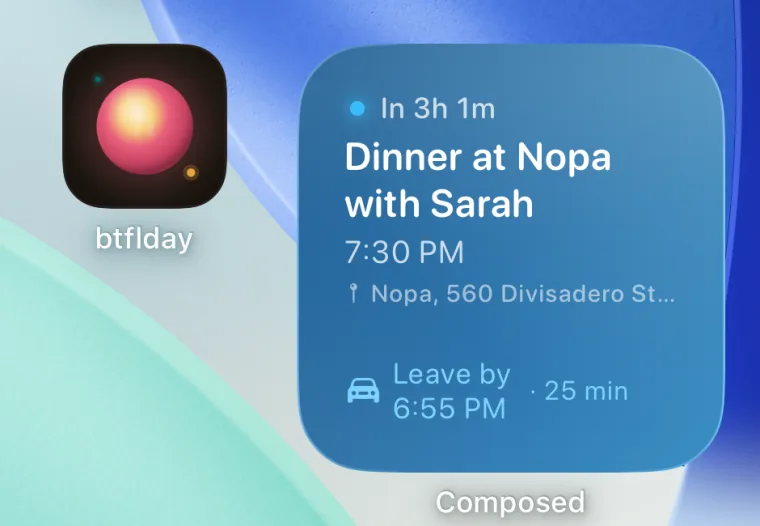
You keep the shared calendar where your family can already see it. Composed is the layer that gets you out the door. See how Composed works, screen by screen.
Shared Google calendar not showing on your iPhone? Fix Google Calendar not syncing to iPhone. Setting one up for the whole household? See how to set up a family calendar on iPhone.
Frequently asked questions
- How do I share my iPhone calendar with my husband or wife?
- Open the Calendar app, tap Calendars, tap the Info button next to an iCloud calendar, tap Add Person, enter their email address and tap Add. When they accept the invitation, the calendar appears on their iPhone and, with Allow Editing on, they can add and change events too.
- Why can't I share my calendar on iPhone?
- Apple's sharing only works for iCloud calendars. Calendars stored On My iPhone can't be shared, and Google, Outlook or work calendars are shared from those services instead. Make a new calendar under the iCloud account and share that one.
- Can I share an iPhone calendar with someone on Android?
- Not as an editable calendar. You can turn on Public Calendar and send them a read-only link, or use a shared Google calendar, which works on both Android and iPhone. On the iPhone, add the Google account under Settings > Apps > Calendar > Calendar Accounts to see it in Apple's Calendar app. If a shared Google calendar still doesn't show, see how to fix Google Calendar not syncing to iPhone on the Composed blog.
- Can the other person see my other calendars?
- No. Sharing is per calendar. They see only the calendar you shared, which is why a separate calendar for the household works better than sharing your main one.
- How do I stop sharing a calendar on iPhone?
- In the Calendar app, tap Calendars, tap the Info button next to the shared calendar, tap the person's name, and tap Delete. They lose access to that calendar.
- Does Composed work with a shared calendar?
- Yes. Composed works with Apple and Google calendars, including ones shared with you, and syncs both ways. Events on the shared calendar show up in Composed, and each person who uses Composed gets their own leave-by reminder from where they are.