If your iPhone calendar alerts aren’t going off, open the event in Calendar, tap Edit, and check that Alert isn’t set to None. Then open Settings, tap Apps, Calendar, Default Alert Times, and pick a time for Events, so new events get an alert without you setting one each time.
If the alert is set and still doesn’t show, the event is fine and something is holding the notification back. The four places that do that are below, in the order worth checking.
1. The event has no alert
An event only alerts you if it has an alert. Open it in Calendar, tap Edit, tap Alert and choose a time, such as At time of event or 15 minutes before. Tap Done.
2. Default Alert Times is set to None
So you don’t have to do that for every event, set a default. Open Settings, tap Apps, then Calendar, then Default Alert Times. Tap Events and choose a time. Do the same for All-Day Events and Birthdays.
On the same screen, Time to Leave alerts you when it’s time to head out for an event with a location, based on traffic.
3. Calendar isn’t allowed to send notifications
Open Settings, tap Notifications, then Calendar, and make sure Allow Notifications is on. While you’re there, check that Sounds is set if you want to hear it, and turn on Time Sensitive Notifications if the option is there.
4. Calendar is in Scheduled Summary
Scheduled Summary collects notifications and shows them together at the times you choose, which is the opposite of what an alert is for. In Settings, Notifications, Calendar, under Notification Delivery, choose Immediate Delivery.
5. A Focus is holding it back
When a Focus is on (Do Not Disturb, Sleep, Work, Driving), it delays notifications so they don’t interrupt you. Swipe down from the top right to see whether one is on. To let calendar alerts through, open Settings, Focus, pick the Focus, and add Calendar under the apps it allows. A Focus you set on your iPhone can also be on your iPad and Apple Watch when Share Across Devices is on.
When an alert at the start time is too late
A calendar alert answers “when is it?”. It doesn’t answer “when do I need to go?”. A 3:00 dentist appointment twenty minutes away needs you out the door at 2:40, and an alert at 3:00 arrives in the car, or in the waiting room of the wrong office.
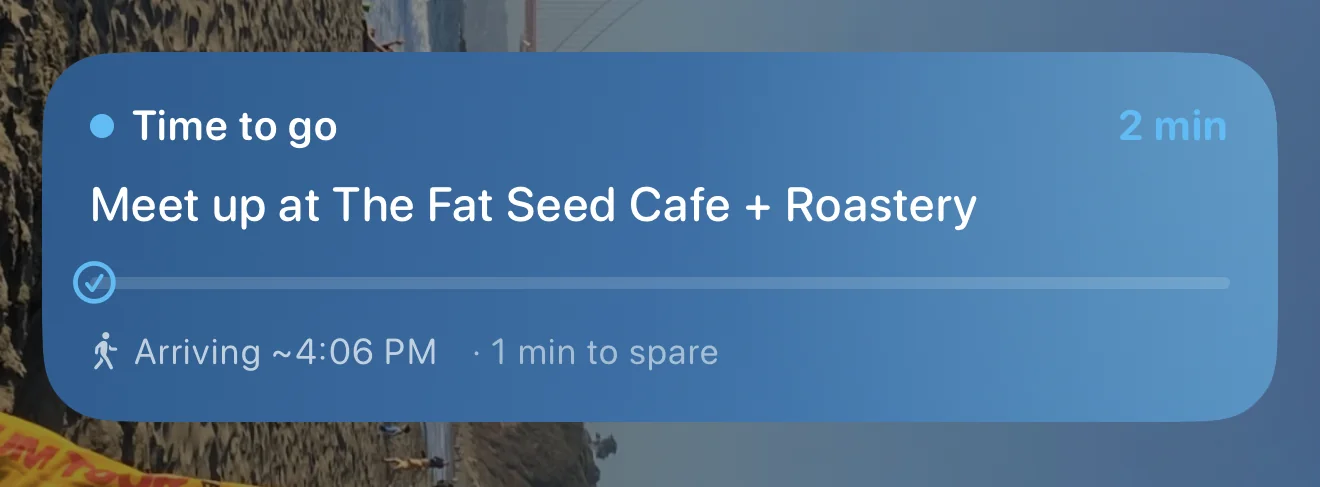
Composed works on top of your Apple and Google calendars and adds what the alert leaves out. Each plan with a place gets a leave-by time from where you are, with traffic, and a reminder when it’s time to go. Plans without a place get a heads-up and a buzz two minutes before. For the plan you really can’t miss, set it to Alarm: on iOS 26 and later it rings like a real alarm, through Silent mode and Focus, until you stop it.
See how Composed works, screen by screen.
Sources
- Apple iPhone User Guide, Change Calendar settings on iPhone, Create and edit events in Calendar on iPhone and Change notification settings on iPhone; Apple Support, Use notifications on your iPhone or iPad. Read 2026-11-20.
Frequently asked questions
- Why are my iPhone calendar alerts not going off?
- Most often the event has no alert, or Calendar's notifications are off, in Scheduled Summary, or held back by a Focus. Open the event, tap Edit and set an Alert; then check Settings, Notifications, Calendar.
- How do I make every new event on my iPhone have an alert?
- Open Settings, tap Apps, Calendar, Default Alert Times, then choose a time for Events. Set All-Day Events and Birthdays too.
- Does Focus or Do Not Disturb stop calendar alerts?
- A Focus delays notifications. Turn it off, or add Calendar to the apps that Focus allows, in Settings, Focus.
- How do I add an alert to one event on iPhone?
- Open the event in Calendar, tap Edit, tap Alert, choose a time such as At time of event or 15 minutes before, then tap Done.
- Is there an app that tells me when to leave, not just when an event starts?
- Composed works on top of your Apple and Google calendars, gives each plan with a place a leave-by time from where you are, with traffic, and reminds you when it's time to go.