Planning travel on iPhone comes down to three things: getting the bookings into your calendar without retyping them, knowing when to leave for the airport, and not missing the steps in between. Composed, an AI calendar for iPhone, does all three from screenshots of the bookings you already have.
Step 1: Get the bookings in, from screenshots.
Every trip arrives as confirmations. Take a screenshot of each one, the flight, the hotel, the dinner you booked, and add it in Composed with the photo button. It reads the details and shows you what it found before anything is saved.
A flight becomes the flight, with its departure time in the departing airport’s time zone. A 7:15 AM flight out of Detroit shows as 7:15 AM even if your phone is still on Pacific time. If the booking shows more than one flight, Composed asks you to add the rest so the whole trip is together.

A hotel or rental becomes a stay across every night from check-in to checkout, so it shows on each day of the trip. You’re reminded about check-in and before checkout, and the reminders never show a door code or a Wi-Fi password.
Tickets and reservations become the plan with its place, which is what lets Composed tell you when to leave for them.
Step 2: Know when to leave for the airport.
The drive is only part of it. Composed asks Apple Maps how long the trip to the airport takes from where you are, with traffic as it is, and adds the airport itself: 2 hours for a domestic flight, 3 for an international one. That’s your time to leave. For a 9 PM domestic flight with a 45-minute drive, that’s about 6:15 PM.
Open Composed in the hours before and the drive is worked out again from where you are then. Switch on Make this unmissable and, on iOS 26 or later, the reminder to leave rings like a Clock alarm, even on Silent.
Step 3: Let the reminders carry the day.
Once the flight is in, its reminders follow on their own:
- Check-in, 24 hours before: “Check-in is open for DL 2424 to Traverse City.”
- Four hours before: when it departs, and when to be at the airport.
- Boarding, at the boarding time on your booking, or worked out from departure when it has none.
- The gate closing, 20 minutes before departure.
- A layover: your connection and how long you have.
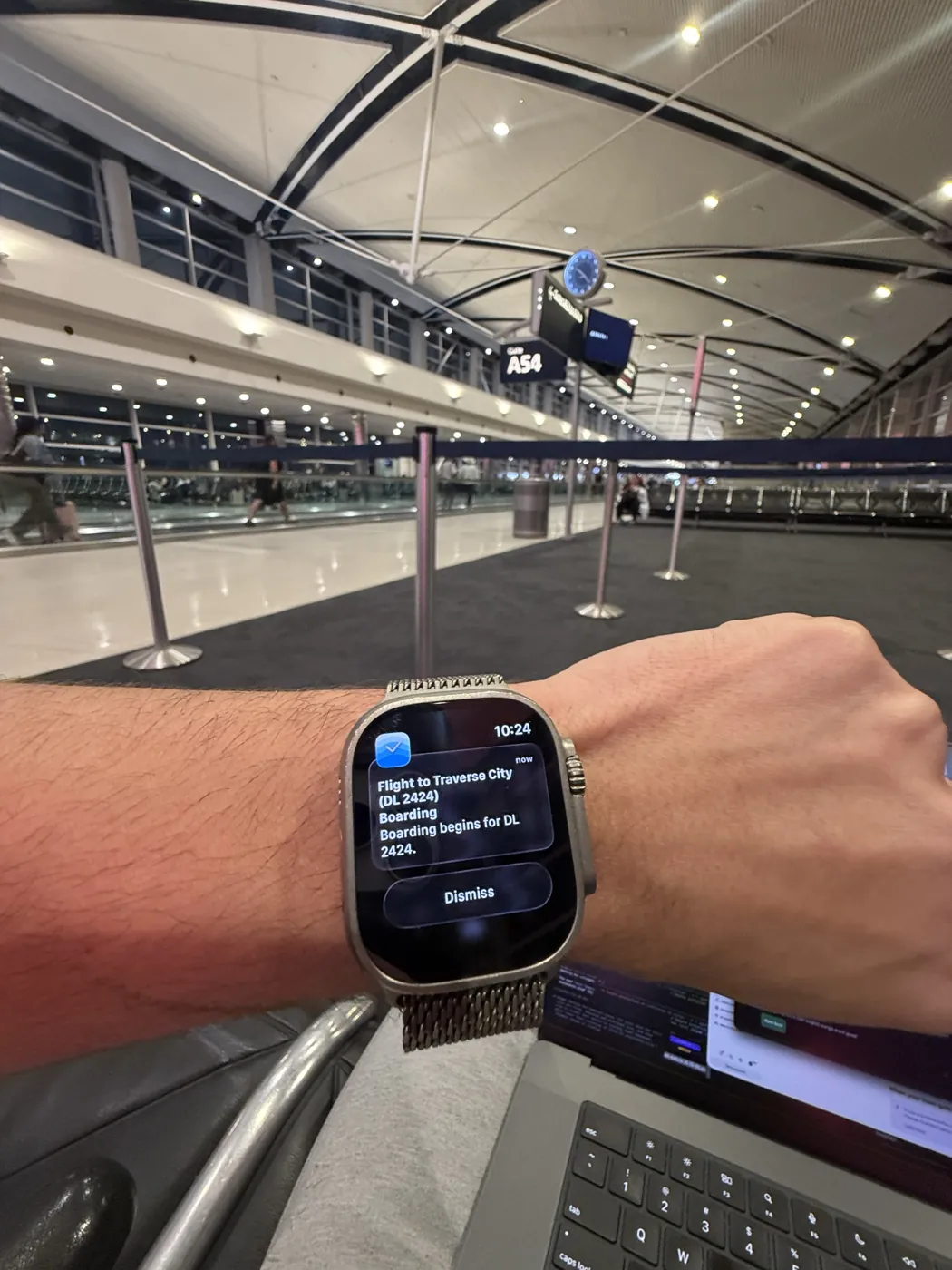
Composed works from your booking and doesn’t connect to airlines, so it won’t hear about a delay or a gate change. Check those with your airline, and add the new confirmation if the flight moves.
Step 4: Sort out the prep before you go.
For a trip, Composed suggests the prep with when to do each part. For “Trip to Costa Rica,” three weeks out, it suggested on November 14, 2026: a week before, check your passport is valid for the whole trip with time to spare, and pack an adapter, since Costa Rica uses 120V and Type A and B plugs; three days before, carry some local cash for smaller vendors, and pack light layers and something for rain. You keep what’s useful.
Step 5: The plans once you’re there.
Dinner, a museum, a train. Say it, “lunch at Valencia’s at noon,” and Composed finds the place near you and gives it a time to leave from wherever you are on the trip.

Road trips.
There’s no booking to screenshot, so say it: “drive to Mackinaw City Friday at 9am.” Add each night’s hotel and it’s a stay on the right days. Each morning’s plan with a place gets a time to leave from where you slept.
More on the travel side of Composed: flight intelligence, screenshot import and frequent travelers.
Frequently asked questions
- How do I add a flight to my iPhone calendar from a screenshot?
- In Composed, tap the photo button when you add something and choose the screenshot of your booking. It reads the flight, the time and the airport, shows you what it found, and saves it with its reminders once you confirm. Turn on Sync to Calendar in Settings and it also appears in Apple Calendar or Google Calendar.
- How early should I leave for the airport?
- Composed's rule is the drive from where you are, with Apple Maps traffic, plus 2 hours for a domestic flight or 3 hours for an international one. Your airline's own guidance for your airport comes first where it differs.
- Which time zone does Composed show flight times in?
- The departing airport's. A flight's times and its reminders are worked out in the airport's time zone, not your phone's.
- Does Composed track delays and gate changes?
- No. Composed works from your booking and doesn't connect to airlines. Check delays and gates with your airline, and add the new confirmation if your flight changes.