There’s a particular kind of argument that happens in relationships around logistics. Not a real argument — more of a low-grade friction that accumulates over months. It usually starts with one person saying “I thought you knew about that” and the other person saying “you never told me.” It ends with someone being annoyed, someone feeling guilty, and both people deciding that next time, they’ll figure out a better system.
The system never gets figured out.
Sharing a calendar with your partner is one of those things that sounds like it should be simple. You both have phones. You both have lives. You want to coordinate. What’s the hard part?
As it turns out: a lot.

Why Shared Calendars Usually Fall Apart
The failure mode of every couple’s calendar system isn’t laziness. It’s mismatch.
One person treats the calendar as the source of truth for everything — dentist appointments, school pickups, dinner reservations, the electrician, the weekend plans they sort of agreed to three weeks ago. The other person treats it as a place to occasionally check when they’re about to double-book themselves.
Two different mental models, one shared calendar. The result is confusion, gaps, and the sense that the whole system is one person’s job.
There’s also the problem of what gets put in. Calendars are great for time-anchored events. They’re less useful for the swirling background layer of coordination that holds a household together — who’s picking up the dry cleaning, which parent needs to leave by what time, what has to happen before Saturday or the thing falls apart. Most calendar apps weren’t built for that layer.
And then there’s the friction of adding things in the first place. If adding an event to a shared calendar requires opening an app, finding the right calendar, filling in fields, and then also texting your partner about it so they actually notice it exists — most people just skip the calendar step and go straight to the text. Which means the calendar is never complete. Which means no one trusts it. Which means no one uses it.
It’s a tidy little spiral.
The First Step: Get On the Same Page About What “Shared” Means
Before you set up any system, you and your partner need to have a genuinely honest conversation about what you each expect a shared calendar to do.
Some couples want full transparency — every appointment, every coffee plan, every work meeting visible to both people at all times. Others want more of a “just the relevant stuff” approach — shared events that actually affect both people, with personal calendars staying personal.
Neither is right. But if you’re operating on different assumptions without realizing it, your system will always feel like it’s missing something.
A useful question to ask each other: “When I’m looking at the calendar, what am I actually trying to answer?”
For one person it might be: “Do I need to be somewhere?” For the other it might be: “What does our week look like?” Those aren’t the same question, and they suggest different kinds of shared calendars.
Practical Setup: What Actually Works
Once you’ve talked about expectations, here’s what tends to work in practice.
One shared calendar for household events, personal calendars for everything else. The shared calendar is sacred — if it’s on there, both people know about it. Personal appointments that don’t affect the other person live elsewhere. This keeps the shared calendar from becoming noise.
Establish a default for what goes in. Things that belong on the shared calendar: any event that requires both people to know about it, any scheduling conflict the other person needs to see, school and kid schedules, shared social plans, home logistics (repair visits, deliveries that need someone present). Things that don’t belong: work meetings that don’t affect home plans, personal appointments that have no overlap with shared time.
Pick a sync method that works for both people’s phones. Google Calendar shared calendars are still the most flexible option for Android-iPhone households. For two iPhone users, iCloud shared calendars are frictionless. The specific tool matters less than both people actually being able to see it without extra steps.
Build in a brief weekly sync. Even the best shared calendar can’t replace five minutes of “here’s what I know about the week.” Planning your week together in ten minutes on Sunday evening does more for coordination than any app can do on its own.
The goal isn’t a perfect shared calendar. It’s a shared understanding — and the calendar is just the artifact that captures it.
The Real Problem: Getting Things In
Here’s where most systems break down, practically speaking. It’s not that people don’t want to keep the shared calendar updated. It’s that in the moment — when you’re booking a dentist appointment, taking a call about a school event, agreeing to dinner with friends — the friction of opening the calendar app and logging it properly is just high enough that you table it. And then you forget. And then the thing doesn’t make it into the calendar. And then your partner doesn’t know.
The solution isn’t discipline. It’s reducing the input friction to near zero.
Voice input is genuinely underrated here. Instead of stopping what you’re doing to open a calendar app, you just say it — “dinner with Sam and Maria on the 18th, the restaurant is at 7:30” — and it’s captured. Voice planning changes the whole equation because the cost of adding something becomes negligible. The event gets in because there’s no reason for it not to.
The same principle applies to screenshots. If you’re booking something on a website, screenshot the confirmation. If you get a flyer or an email about an event, screenshot it. Any system that can turn those screenshots into calendar events automatically removes a whole category of dropped balls.
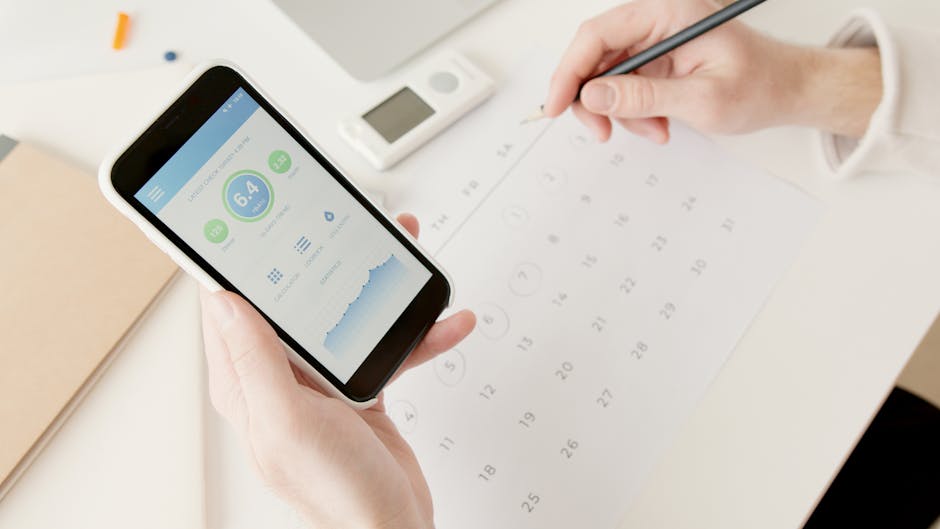
When One Person Is Running the Calendar
In a lot of households, one person ends up being the de facto calendar manager. They’re the one adding events, sending invites, keeping track of what’s where. It’s not intentional — it just happens. And it can quietly become a source of resentment.
If that’s you, it’s worth naming it. Not to assign blame, but because the solution is usually about making contribution easier for the other person, not just expecting them to step up.
If your partner doesn’t add things to the calendar, ask them what makes it feel hard. The answer is usually one of a few things: they forget to do it in the moment, they don’t know which calendar to use, or they’re not totally sure what’s supposed to go in there. All of these are fixable with small structural changes, not conversations about responsibility.
If that’s your partner, recognize that “managing the calendar” is invisible labor that takes real cognitive energy. Managing a busy schedule isn’t just about knowing what’s happening — it’s about maintaining the mental map that keeps everything from colliding. If one person is doing that for two people, it’s worth noticing.
Handling Events That Involve Both People
These are the trickiest ones. Not a solo appointment, but something that requires both people — a shared event where you both need to show up prepared, possibly traveling from different places, possibly with things that need to happen first.
The event is on the calendar. But the details are in someone’s head, or in a text thread, or in an email that one person may or may not have read.
For events like this, what helps is attaching the context to the event itself. Not just “dinner at Jake’s” but also: who’s driving, what time you need to leave, whether there’s anything you’re supposed to bring, whether you need to do something before you go.
Most calendars let you add notes to events, and almost nobody uses this field. It’s one of the most underused features in any calendar app. If you’re the one who has the context — you made the booking, you talked to the host — put it in the event notes. Your partner shouldn’t have to track you down to find out where to park.
For shared events with real coordination requirements, there are also dedicated features worth looking at. Composed’s shared events feature lets both people see not just the event but the preparation layer around it — what needs to happen before it, when you need to leave, the things you’re tracking. It’s designed for exactly the situation where an event on a calendar isn’t enough.
The Recurring Coordination Problem
Ongoing recurring logistics — school pickup, weekly family dinners, recurring professional appointments — deserve their own approach.
Recurring events are easy to add to a calendar. What’s harder is capturing the exceptions. The week when pickup is different because of a school thing. The family dinner that moved because of a conflict. The appointment that got rescheduled but the calendar wasn’t updated yet.
A simple rule that helps: whoever knows about the change is responsible for updating the calendar. Not “I’ll mention it later.” Update it now, while you have the information. This sounds obvious but it’s genuinely the thing that keeps recurring events from becoming a source of chronic confusion.
Also worth considering: for truly recurring household logistics, a separate shared note or a short recurring weekly check-in might be more useful than calendar events. Not everything is a calendar event. The difference between planning and remembering matters here — some things are about knowing, not scheduling.

If You’re Starting From Scratch
If you and your partner have been relying on texts and memory and good luck, and you’re ready to actually build something: start small.
Don’t try to retroactively log everything or build a comprehensive system all at once. Start with the category that causes the most friction right now — probably social plans or kid logistics — and get that one category consistently into a shared calendar for thirty days. Once that’s a habit, add the next category.
The couples who have genuinely functional shared calendars didn’t sit down one weekend and design them. They iterated toward them over time, learned what they actually needed to track, and adjusted.
The goal is a system that makes both people’s lives a little easier, not a system that is impressive to look at. Those are different goals and they lead to different systems.
One More Thing
A shared calendar works best when both people feel ownership over it. Not “this is your system that I’m participating in” — but something you both built and both maintain.
That means both people need to find it genuinely easy to contribute. If one person has to nag the other to add things, the system is too expensive to operate. Lower the cost of contribution until it’s effortless. Make the default behavior the right behavior. And check in when it’s not working instead of letting the frustration accumulate.
The logistics of a shared life aren’t a small thing. Getting this right creates real relief — fewer tense conversations, fewer dropped plans, fewer moments of “I thought you knew.” It’s worth a little upfront investment.
If reducing input friction is where you want to start, Composed’s voice input makes adding events to your calendar a matter of saying them out loud — which is usually what you’d do anyway, just to your partner. Now the app hears it too.