There’s a specific kind of low-grade panic that comes from having four different calendars and still missing something important.
Work meetings live in Google Calendar. The kids’ school events are in the family iCloud calendar. Personal appointments are… somewhere. Maybe a sticky note. Maybe your head. And then your partner added a shared calendar for “household stuff” three months ago that you keep meaning to actually look at.
You’re not disorganized. You’re just managing a genuinely complicated situation with tools that were designed for simpler times.
Here’s how to make multiple calendars work for you instead of against you.

Why Multiple Calendars Feel So Overwhelming
Before we fix anything, it helps to understand why the problem exists in the first place.
Calendars multiply because different areas of life have different audiences. You don’t want your “dentist cleaning” visible to your whole team on the work calendar. You don’t want “quarterly planning meeting” cluttering up the family schedule. The siloing makes sense — the chaos comes from having to manually check multiple places.
The result is what productivity researchers sometimes call “coordination overhead” — the mental effort of keeping different systems in sync. You spend energy managing your calendars instead of just living your life.
There’s also the problem of collision. When your work and personal calendars don’t talk to each other, you end up double-booking yourself. You schedule a dentist appointment during what you thought was a free afternoon, then realize you forgot about a recurring team standup. Now someone has to reschedule, someone feels let down, and you feel like you’ve let the whole enterprise of being an adult slip through your fingers.
It doesn’t have to be this way. The solution isn’t fewer calendars — it’s a clearer system for working with the ones you have.
Step One: Decide What Belongs Where (And Actually Stick to It)
The biggest source of calendar chaos is inconsistency. You add some events to one calendar, some to another, and some to both “just in case.” A month later, you can’t remember which one is accurate.
Pick a simple rule and keep it.
One approach that works well: organize by audience rather than by topic.
- Work calendar: Anything your colleagues might need to see or that involves your professional time
- Family/shared calendar: Anything a family member needs to know about — school events, family trips, appointments that affect logistics
- Personal calendar: Everything else — your own appointments, social plans, personal goals
The key word in that last one is personal, not secret. It’s not about hiding things — it’s about keeping a space for you that isn’t filtered through your role as an employee or a parent.
If you share a calendar with a partner, agreeing on what goes where upfront saves an enormous amount of low-key friction later. “Did you add this to the shared calendar?” is a surprisingly common argument. It doesn’t have to be.
Step Two: Make All Your Calendars Visible in One Place
This is non-negotiable: you need a single view that shows everything.
Checking four separate apps is not a system — it’s a guessing game. At minimum, every calendar should be readable from one place, even if you maintain them separately.
Most people already have this technically possible but haven’t set it up. Google Calendar can subscribe to iCloud calendars. Apple Calendar can pull in Google Calendar events. Third-party planning apps can often connect to both simultaneously, giving you one unified view of your day without forcing you to abandon your existing calendars.
The goal is a “read everything here, add things to the right place” workflow. Not everything needs to live in the same app — it just needs to be visible in the same place.
You don’t need one perfect calendar. You need one place where all your calendars show up at the same time.
If you’re currently checking your phone calendar, your laptop calendar, and a separate work tool independently, that’s three places your attention is fragmented every morning. Consolidating the view — even if the data lives in different places — is one of the highest-leverage changes you can make.
Step Three: Color-Code and Then Forget About It
Color-coding calendars is something everyone knows about and almost no one actually does consistently.
It feels trivial. It isn’t.
When you can glance at your week and immediately see “blue is work, green is family, purple is personal,” you process the shape of your week in under a second. No reading required. You just see it.
Pick colors that make intuitive sense to you. Don’t spend more than five minutes on this. The specific colors don’t matter — the consistency does. Once you’ve set it up, you shouldn’t need to think about it again.
The same principle applies to calendar naming. “John’s Calendar” is less useful than “Personal.” “Family” is better than “Shared.” Clear beats clever when you’re skimming your week at 7am.
Step Four: Build a Daily Check-In Habit
Multiple calendars only create chaos if you’re not looking at them regularly.
The fix isn’t complicated: a short daily review of everything on deck. Not a deep planning session. Just a five-minute look at what’s happening today and tomorrow.
Morning works best for most people — before the day starts pulling you in different directions. But the right time is whenever you’ll actually do it. If that’s during your morning coffee, the school pickup line, or the few quiet minutes before bed, any of those works.
When you do this review, you’re looking for three things:
- Collisions — Do you have two things at the same time? Better to notice now.
- Prep needed — Is there anything coming up that requires you to do something beforehand? Showing up prepared to a meeting, an appointment, or a trip starts the day before.
- Gaps — Do you have any space in the day that could get quietly absorbed if you’re not intentional about it?
This habit is where planning your day effectively actually happens — not in elaborate weekly planning rituals, but in the small daily check that keeps you oriented.
Step Five: Protect One Calendar from Clutter
Here’s something that takes a while to learn: not everything deserves a calendar event.
When calendars get bloated with low-stakes entries — “call back the insurance company sometime this week,” “return library books” — the signal-to-noise ratio drops. Real events get buried under reminders and vague intentions.
Keep your calendars for things with a specific time and date. Everything else belongs somewhere else — a list, a note, a separate reminder system.
This matters even more when you’re managing multiple calendars. Each one should be legible at a glance. If you open your family calendar and it’s stuffed with “pick up dry cleaning” and “maybe schedule haircut,” you start ignoring it. And the moment you start ignoring a calendar is the moment things start slipping through.
The question to ask before adding something to a calendar: Does this have a specific time when it’s happening? If yes, it belongs on the calendar. If it’s more “I need to do this at some point,” it belongs somewhere else.
When the System Breaks Down (Because It Will)
Even a good calendar system eventually gets messy. Kids’ schedules change. Work expands. Life happens faster than you can update a shared calendar.
The answer isn’t to build a perfect system that never needs maintenance. It’s to make the maintenance lightweight enough that you’ll actually do it.
A few things that help:
Build in a weekly reset. Once a week — ten minutes, not an hour — look at the next seven days across all your calendars and make sure everything is roughly accurate. The Sunday reset is a genuinely useful habit, not because it’s glamorous but because catching a conflict on Sunday is much less stressful than discovering it on Tuesday morning.
Give yourself permission to declutter. Delete old events that have passed and are just taking up space. Archive things that are “maybe someday” instead of letting them sit on a calendar you check daily.
Accept that some friction is normal. Sharing a calendar with another human means you’re coordinating two different schedules, two different memory systems, and two different definitions of “I thought I told you about that.” No app eliminates this entirely. The goal is less friction, not zero friction.
If your system is still causing stress even after cleaning it up, it might be worth reading why planning apps cause anxiety — sometimes the problem isn’t the calendars themselves, it’s the way the whole system is set up.
The Simpler Version of All This
If this all feels like a lot, here’s the condensed version:
One place to see everything. Consistent rules for what goes where. A daily five-minute check. Colors that make things scannable. And a weekly reset to catch the drift before it becomes a crisis.
That’s it. You don’t need a new system. You need a clearer, lighter version of the one you already have.
The goal of managing multiple calendars isn’t to spend more time thinking about your calendars. It’s to spend less time thinking about them — because the system is handling the coordination quietly in the background while you focus on the actual work of your life.
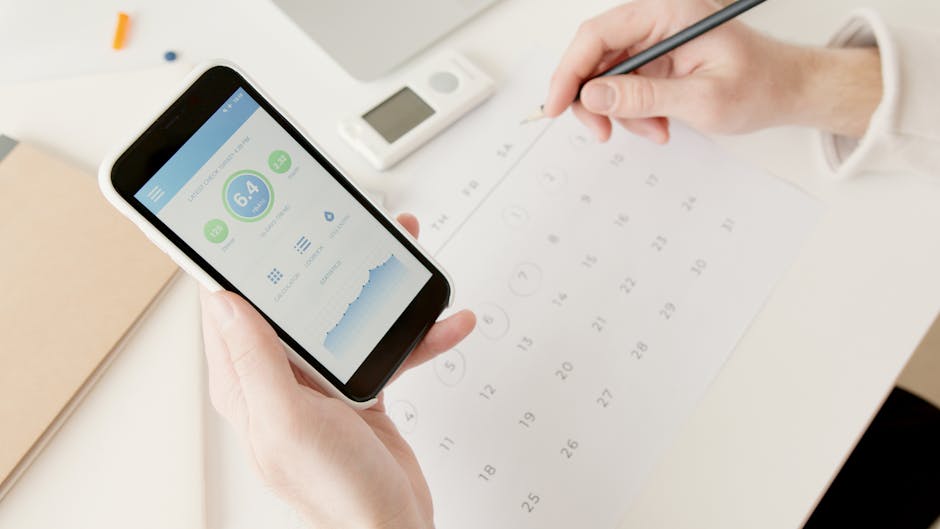
If you’re looking for an app that pulls multiple calendars into one view and adds a preparation layer on top — auto-generating things to do before events so you’re not scrambling the morning of — Composed connects to Google Calendar and builds the rest around it.
But honestly? The biggest gains come from the habits above. Get those right, and any calendar system you choose will work better.