There’s a specific kind of joy that hits when you realize a road trip is actually happening. Not the vague “we should do this someday” version — the real one, where dates are set and someone has to figure out where you’re actually stopping for the night.
That someone is usually you.
Fortunately, your iPhone is quietly one of the best road trip planning tools in existence. Not because there’s one magical app that does everything, but because the combination of what’s already on your phone — plus a few smart habits — can take you from “we should go” to “we’re leaving Friday” without a single printed MapQuest page.
Here’s how to actually do it.
Start with the Route (Not the Packing List)
Most road trip planning goes sideways because people start with the wrong thing. They make a packing list before they know how many nights they’re staying. They book a hotel before they’ve committed to a route. They spend forty minutes debating AUX cord rules before confirming anyone has time off.
Start with the route. Everything else follows from there.
Open Apple Maps or Google Maps and search your destination. Don’t plan every stop yet — just look at the total drive time and decide where the natural midpoints are. A twelve-hour drive probably wants a night somewhere in the middle. A four-hour drive is a same-day trip. Simple as that.
Once you know the rough shape of the trip, drop a pin on possible overnight stops and save them to a list. Both Maps apps let you create collections or lists of saved places, which is genuinely useful and genuinely underused. Name it something like “Road Trip — June” and add hotels, restaurants you want to try, and any specific places worth a detour.
This becomes your living document for the trip. It takes about ten minutes.
Build a Shared Calendar Event Before You Book Anything
Here’s a move that saves a surprising amount of back-and-forth: create a calendar event for the trip and share it with everyone coming before you book a single reservation.
This sounds almost too simple, but it does something important. It forces everyone to confirm the dates before money changes hands. It also gives you one place to paste the confirmation numbers, hotel addresses, and any other details that would otherwise scatter across a group chat and disappear forever.
If you’re traveling with a partner or family, a shared calendar event is genuinely one of the better relationship tools available to you. More on how to manage a shared calendar for couples — but the short version is: less coordination chaos, more actual excitement.
Add the hotel address to the event location field. Your phone will surface it automatically when you’re close to departure time.
The Stops Worth Planning Ahead (And the Ones That Aren’t)
Not everything needs a reservation. Part of what makes a road trip feel like a road trip is the spontaneity — the roadside diner you didn’t know existed, the state park overlook you found because someone needed to stretch their legs.
But some things genuinely need to be locked in:
Book ahead:
- Overnight accommodations (especially in summer, near national parks, or in small towns with limited options)
- Any activity with a capacity limit — tours, rentals, entry tickets
- Popular restaurants if you have a specific one in mind
Leave open:
- Lunch spots (you’ll find something)
- Detours and scenic routes
- How long you actually spend anywhere
The mistake most people make is trying to schedule every hour of a road trip, then feeling like they failed when the schedule falls apart by day two. Leave room for the trip to surprise you.
The best road trips are planned just enough to remove the anxiety — and loose enough to allow the moments you’ll actually remember.
Use Your Notes App as a Trip Brain Dump
Before you start booking things, spend five minutes doing a brain dump into a Notes app document. Everything you can think of that needs to happen for this trip to work: pack the cooler, cancel the dog sitter’s off week, download offline maps, check that the tire pressure is good, figure out whose turn it is to make the Spotify playlist.
Don’t organize it yet. Just get it out.
Then go back through and group things roughly into categories: Before We Leave, While We’re There, When We Get Back. This usually takes another five minutes and turns a chaotic mental list into something that actually feels manageable.
The reason this works isn’t some special system — it’s just that most road trip stress comes from a vague sense that you’re forgetting something. A brain dump externalizes that feeling so your brain can stop holding it.
Download Everything Before You Leave Cell Range
This is the step people skip and then deeply regret somewhere in rural Nevada.
Before you leave, download:
Offline maps. In Google Maps, tap your profile photo → Offline maps → Select your own map. Draw a box over your route with a generous buffer on both sides. Download it. Do this for the full route, not just the destination.
Any streaming content. Podcasts, playlists, audiobooks, downloaded shows for passengers. If it lives only in the cloud, assume it doesn’t exist once you’re two hours outside of any city.
Your reservations. Screenshot or save PDFs of every hotel confirmation, ticket, and booking reference. Put them in a dedicated album in Photos or a folder in Files. When your phone has one bar of service and the hotel is asking for your confirmation number, you will be very glad you did this.
Restaurant info. If there’s a specific place you’re planning to stop for dinner, download their menu and grab the address while you have signal. Yelp and Google Maps both allow limited offline access but it’s patchy.
It takes maybe twenty minutes to do all of this the night before you leave. It’s the kind of thing that feels unnecessary until it isn’t.
Reminders That Actually Help on the Road
Standard reminders — the kind that fire once and disappear — aren’t that useful for trip prep. What works better is reminders that build toward departure rather than just pinging you the morning you leave.
Think about the things you need to do at different points:
- A week out: Book the last accommodation, confirm everyone’s availability, check the car
- Two days out: Pack bags, download offline maps, charge devices and portable batteries
- The night before: Load the car, prep snacks, set the alarm
- Morning of: Check tire pressure, fill the gas tank, grab the phone chargers from the wall
When you map it out this way, “prepare for road trip” becomes a series of small, specific things spread across a reasonable timeline — not a frantic hour of running around the house at 6am.
If you want a system that builds this kind of graduated prep automatically, AI prep tasks are worth understanding — the idea that an event shouldn’t exist in your calendar as a single moment but as a sequence of preparation that gets you there ready.
Keeping Everyone in the Loop Without the Group Chat
At some point every group trip develops a group chat. Group chats are fine for excitement and memes. They are not fine for logistics.
For actual information — the hotel address, the check-in time, the code for the Airbnb lockbox — put it somewhere that isn’t a chat thread where it will be buried under fifty reaction emojis within the hour.
Options:
- A shared note in Apple Notes (everyone with an Apple ID can be added)
- A shared document in Google Docs
- A calendar event with all the details in the notes field
The goal is one place where anyone in the group can go to find what they need without asking in the chat. This saves an enormous amount of “wait, what was the address again” energy.
The Morning You Leave
There’s a reliable phenomenon where departure morning feels more chaotic than it should. Even when you’ve planned well. Even when the bags are mostly packed. Even when you swore you were going to leave by 8.
A few things help:
Do your final load the night before. Put everything by the door. Cooler packed. Bags by the door. Chargers in the bag, not still plugged into the wall.
Set your departure time, not your arrival time. In Apple Maps, tap the time in the bottom bar to set a departure or arrival time. This gives you traffic-adjusted directions rather than just the optimistic “no traffic” estimate.
Give yourself a buffer, especially on Fridays. If you want to leave by 9, aim for 8:30. The fifteen minutes you spend looking for the sunscreen will use up exactly that buffer and nothing more.
Check your first stop before you start driving. Make sure the hotel confirmation is in your phone, the address is in Maps, and you know the check-in time. Ten seconds of verification before you pull out of the driveway.
A Few Things Worth Having on Your iPhone for the Drive
Not apps, necessarily — just things:
- An AUX/Bluetooth adapter if your car doesn’t have one. This seems obvious until you’re standing in a gas station parking lot in Oklahoma at hour seven.
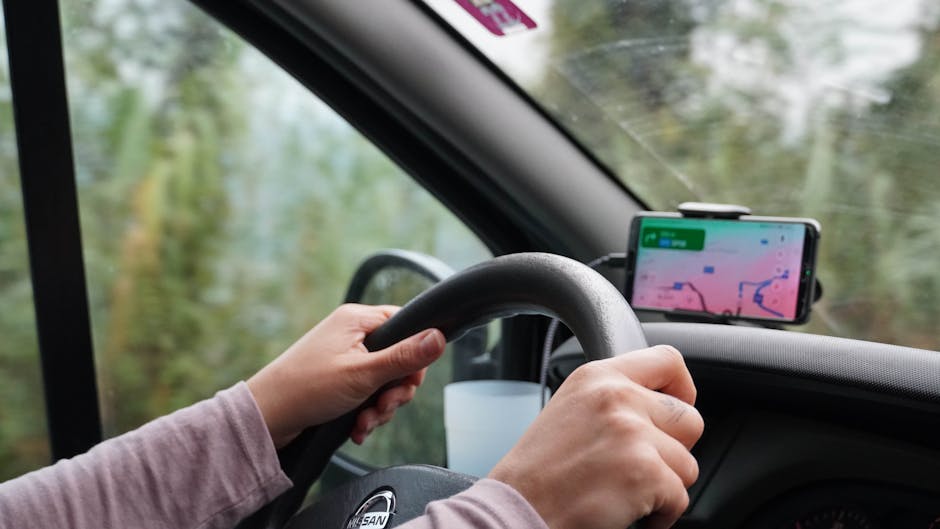
- A car mount. Using your phone for navigation while it’s lying in a cupholder is a good way to miss an exit.
- A portable battery pack. Plugged into the car charger, your phone charges slowly if it’s running navigation and music. A battery pack buys you margin.
- Photos of your insurance card and registration. Not because anything will go wrong, but because it’s nicer than digging through the glove compartment at a highway rest stop.
The Part Nobody Plans: Getting Home
Road trips have a funny way of ending in a pile of half-unpacked bags, a cooler you meant to deal with, and the realization that you have approximately zero groceries.
If you want to reenter normal life with less friction, block out the first hour after you get home as “land and unpack.” Not to do everything — just to get the car emptied, the cooler cleaned, and the bags somewhere they won’t be sitting in the hallway for four days.
And if there were things you said you’d handle “when we get back” — those go directly into your calendar or to-do system the moment you think of them, not into the mental pile.
The Sunday reset works particularly well for the weekend after a trip. Clear your head, look at the week ahead, and give yourself permission to ease back in.
A road trip doesn’t need a spreadsheet, a project manager, or a color-coded Google Doc. It needs a route, a few reservations, some prep that’s actually spread across the days before you leave, and a plan for offline maps.
Your iPhone handles most of this natively. The rest is just building the habit of thinking a few days ahead instead of scrambling the morning of. Map your prep across the week before you leave — not as one overwhelming to-do, but as small, specific things at the right times. Download your offline maps the night before. Load the car before you go to sleep. Give yourself a real departure buffer on the morning of.
The planning is what makes it possible. The road trip is what makes it worth it.