Google Calendar is fine. That’s genuinely the nicest thing to say about it. It stores your events, it syncs across devices, and it hasn’t changed meaningfully in years. For a lot of people, “fine” is enough.
But if you’ve ever stared at your week in that grid of colored boxes and thought this doesn’t actually help me — you’re not imagining things. Storing appointments and planning your life are two very different jobs, and most calendar apps only do one of them.
Here are five alternatives worth considering if you’re ready for something that does a little more.
Why People Look for Google Calendar Alternatives
The search usually starts with a specific frustration, not a general one.
Maybe you keep adding events but never feel prepared for them. Maybe you’ve got reminders set and still show up to things having forgotten half of what you needed to bring. Maybe the calendar tells you what is happening but nothing about how to actually get there on time or ready.
Google Calendar is an excellent scheduling layer. It’s genuinely good at showing you what’s on your plate in a given week. What it doesn’t do is think ahead on your behalf, prompt you to prepare, or help you figure out when to leave.
That gap — between knowing about an event and being ready for it — is where most calendar alternatives are trying to live.
The five apps below each fill that gap differently. Some are more powerful and flexible. Some are simpler and more focused. One is specifically built around the idea that your calendar shouldn’t require you to constantly babysit it.
1. Fantastical — The Power User’s Calendar
If Google Calendar feels too bare and you want a full-featured scheduling app, Fantastical is the classic answer.
It has a genuinely excellent natural language input — you can type “Dentist Thursday 3pm” and it figures the rest out. The week and month views are beautiful. It handles multiple calendars, time zones, and meeting scheduling in one place.
Fantastical is best for people who think primarily in terms of scheduling — people with complex work calendars, lots of recurring events, or teams that need to coordinate availability. It integrates deeply with Apple Calendar and Google Calendar, so it’s less a replacement and more a better interface on top of them.
The pricing has moved to a subscription model ($4.99/month), which puts some people off. But if you live in your calendar and want the best-looking, most capable scheduling app on iOS, Fantastical is the answer.
Best for: People who want a premium scheduling experience and more visual control over a busy calendar.
2. Notion Calendar — For the Notion Ecosystem
If your life already runs inside Notion — notes, projects, databases, documents — Notion Calendar connects the scheduling layer to everything else.
It syncs with Google Calendar and lets you see your events alongside your Notion databases. So if you’re a freelancer with a client database, you can see your client meeting next to the relevant project docs. For knowledge workers who’ve fully committed to Notion as their operating system, this actually reduces a lot of tab-switching.
It’s free, which is notable given how much of the competition charges monthly fees.
The downside: Notion Calendar is only as useful as your commitment to the broader Notion ecosystem. If you’re not already living there, it doesn’t give you a reason to start.
Best for: Notion power users who want their schedule connected to their existing workspace.
3. Reclaim.ai — For Auto-Scheduling Your Work Week
Reclaim is doing something genuinely different: it takes all your to-dos, habits, and focus blocks and automatically schedules them into your calendar around your existing meetings.
You tell it you need two hours of deep work every day, a 30-minute lunch, and time to respond to email. It finds the gaps and books the time, then adjusts when things shift. For people with dense work calendars where every unprotected hour disappears into meetings, this is a serious solution.
It integrates with Google Calendar, Slack, Asana, Linear, and a bunch of other work tools. The focus is very much professional productivity — this is not an app for planning your personal life or remembering to call your mom back.
The free tier is usable, but the real power features are on a paid plan.
Best for: Professionals with packed work calendars who need a system that protects time for actual focused work.
4. Structured — Visual Daily Planner
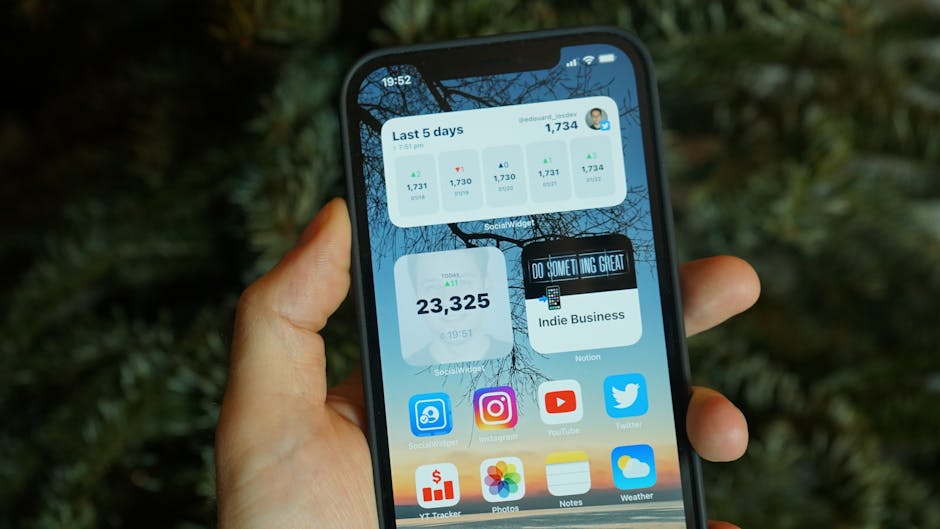
Structured takes a completely different angle: instead of a week grid, it gives you a beautiful visual timeline of your day, with each event and to-do represented as a block on a vertical scroll.
It’s deeply satisfying to look at. Events have colors, icons, and durations. You can see your whole day laid out like a schedule rather than a list of timestamps. For people who think visually and find traditional calendar grids hard to parse, this clicks in a way other apps don’t.
It also handles daily to-dos alongside scheduled events, so your “pick up dry cleaning” and “team standup at 10am” live in the same view.
Structured is particularly worth considering if you find traditional calendar apps disorienting — there’s something about the vertical timeline format that makes the day feel navigable rather than chaotic. People who experience time blindness often find it helps to see duration visually rather than just start times.
The app is free with a premium upgrade for some features.
Best for: Visual thinkers who want to see their whole day as a flowing timeline, not a grid.
5. Composed — For People Who Want to Show Up Prepared, Not Just Informed
Composed approaches the problem differently than everything else on this list.
Most calendar apps — including all four above — answer the question: What do I have going on? Composed is trying to answer a harder question: What do I need to do to be ready for what I have going on?
When you add an event, Composed generates a prep checklist automatically. Booking a flight? It notices the airport, the departure time, and how long it takes you to get there — and builds a timeline backwards from when you need to leave. Adding a dinner reservation? It’ll remind you to confirm, maybe suggest you check the parking situation, and send a gentle heads-up at the right time rather than five minutes before.
The reminders are graduated — they don’t all fire at once. You get a prompt a few days out, another the day before, and one closer to the event. It sounds small, but the difference between a single reminder (that you swipe away and forget) and a gentle series that actually creates the habit of preparation is significant. There’s a whole conversation about why basic reminders don’t work that gets at the heart of this.
You can also add events entirely by voice. Say “I have a vet appointment for Luna on Friday at 2pm at Riverside Animal Clinic” and Composed parses all of it — name, time, location — without you tapping anything. For anyone whose biggest barrier to using a planner is the friction of data entry, this removes that barrier almost entirely. (There’s more on how this works at voice input.)
It also syncs with Google Calendar, so your existing events live there too — Composed just adds the preparation layer on top.
Composed is iOS only. It’s not a fit for Android users or people who need deep team scheduling features. But if you’re an iPhone user who keeps showing up to things slightly unprepared despite having a full calendar, it’s worth looking at. More detail at Composed’s AI prep tasks page.
Best for: iPhone users who want their calendar to actively help them prepare, not just remind them that something exists.
How to Choose
The right app depends on the specific frustration that made you search in the first place.
The question isn’t which calendar app has the most features — it’s which one fixes the specific thing that’s currently driving you up a wall.
If the problem is visual complexity — your week feels overwhelming and hard to parse — try Structured or Fantastical.
If the problem is getting focused work done around a schedule full of meetings, try Reclaim.
If the problem is living in a single ecosystem where your notes, projects, and calendar connect, try Notion Calendar.
If the problem is showing up to things prepared — having what you need, leaving at the right time, not forgetting the thing you were supposed to bring — that’s a preparation problem, not a scheduling problem. That’s Composed’s lane.
Some people need more than one of these. A lot of people use Fantastical or Notion Calendar for their primary scheduling view and Composed for the preparation layer on top — since Composed syncs with Google Calendar, there’s no conflict.
One Thing Worth Knowing
The best calendar app for you is almost certainly not the one you’re already using by default.
Most people end up with Google Calendar simply because it came with their Gmail account. That’s fine as far as it goes. But “I already have it” is a pretty weak reason to stick with a tool that isn’t quite working.
The apps above are each meaningfully better than Google Calendar at something specific. The question is which “something” is the thing you actually need.
If you’ve been meaning to find something that does more — here’s a fuller look at planner apps for iPhone that covers even more options across different use cases. And if you’re specifically tired of apps that add stress instead of removing it, this piece on why planning apps cause anxiety is a useful read before you download anything new.

A good calendar app should make your day feel more manageable, not like a homework assignment. If your current one doesn’t do that — it’s worth spending 20 minutes finding one that does.
A good calendar app should make your day feel more manageable, not like a homework assignment. If your current one doesn’t do that — it’s worth spending 20 minutes finding one that does.
If you want to go deeper: here’s a fuller look at planner apps for iPhone that covers even more options across different use cases. And if you’re specifically tired of apps that add stress instead of removing it, this piece on why planning apps cause anxiety is a useful read before you download anything new.