The best calendar is one you don’t have to open. Composed puts what’s next, and when to leave for it, on your Home Screen, your Lock Screen and your wrist, so a glance is enough.
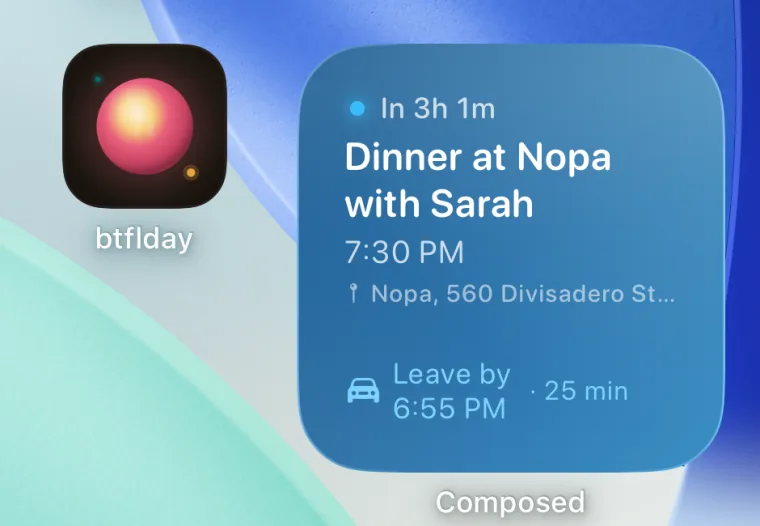
Widgets on the Home Screen.
Up Next shows your next plan: how long until it, the time, the place, and when to leave with the drive time. Today shows the day at a glance, the next plan and what follows. Deadlines & Occasions shows the due dates and birthdays coming up.
Widgets on the Lock Screen.
Next Event shows the time of your next plan; Next Event Detail adds its title. Things to Do says how many things are on your list.
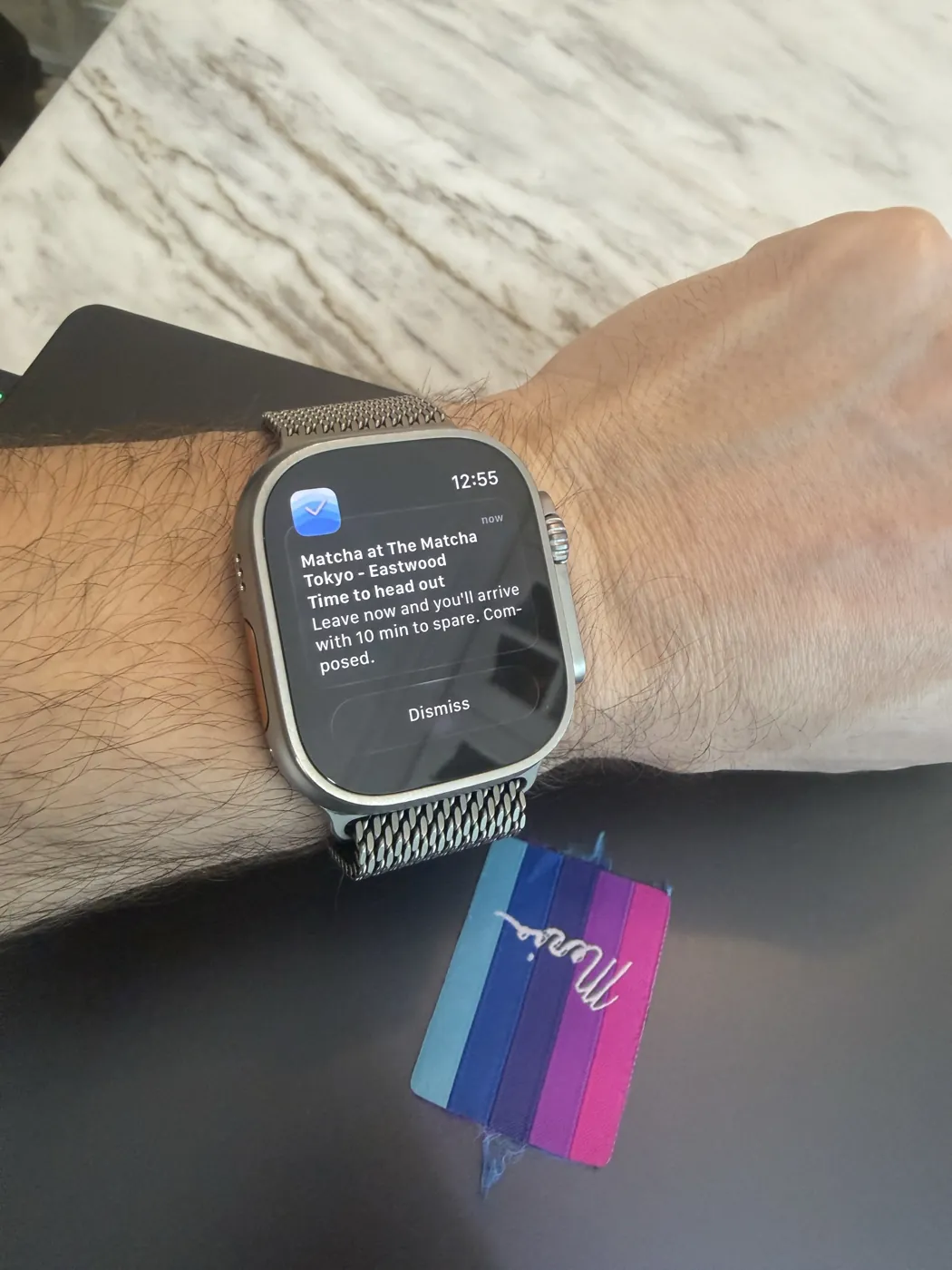
Reminders on your Apple Watch.
Composed’s reminders arrive on your Apple Watch as they do on your iPhone: the heads-up, thirty minutes before, the moment to leave with the drive in it, and a flight’s boarding and gate closing. You can mark a plan done, or snooze it an hour, from the notification.
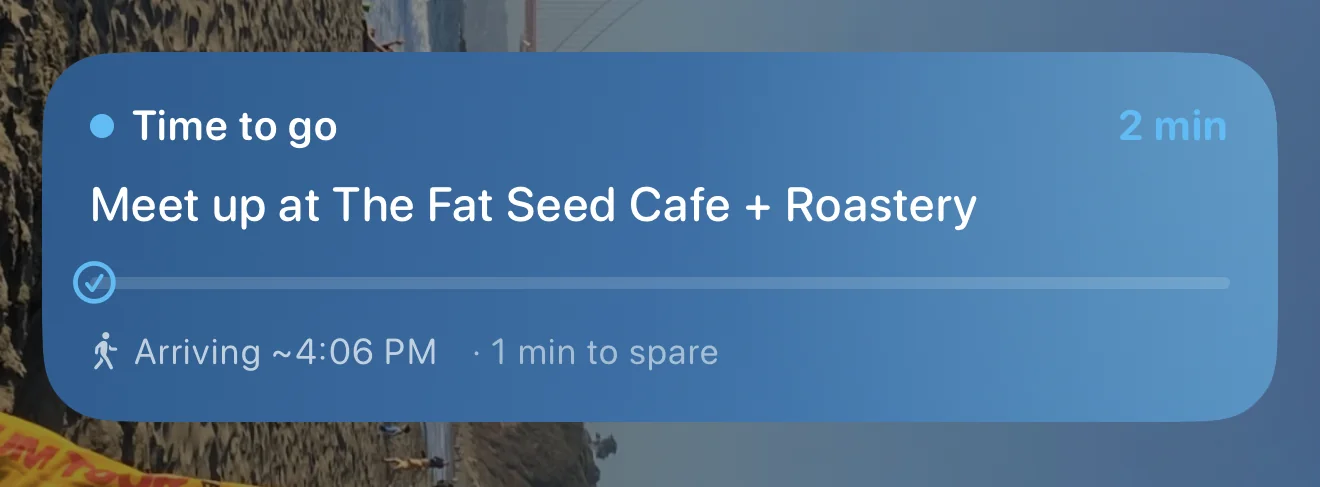
A countdown to leave.
When it’s nearly time to go, a countdown sits on your Lock Screen and in the Dynamic Island: how long until you should leave, when you’ll arrive, and how much time that leaves you, with a plain status, “Ahead of schedule,” “Right on time,” “Cutting it close” or “Time to go.” If the trip gets longer, it says so.
Questions people ask.
- Which widgets does Composed have?
- On the Home Screen: Up Next, Today and Deadlines & Occasions. On the Lock Screen: Next Event, Next Event Detail and Things to Do.
- Is there an Apple Watch app?
- Composed's reminders come to your Apple Watch as notifications, where you can mark a plan done or snooze it an hour. There's no separate Watch app.
- Does the widget show when to leave?
- Yes. Up Next shows when to leave and the drive time for a plan with an address.
- What is the Live Activity?
- A countdown on the Lock Screen and in the Dynamic Island as it gets close to time to leave: how long until you go, when you'll arrive, and how much time you'll have.