Composed keeps notes and checklists in the same app as your calendar, so the Thanksgiving menu lives next to Thanksgiving. Write or dictate a note, add a checklist and photos, give it a date and it shows on that day, or file it in a folder. One app, not three.
Write it, or say it.
Type a note, or tap the mic and talk. Composed listens, then tidies what you said into a clean note.
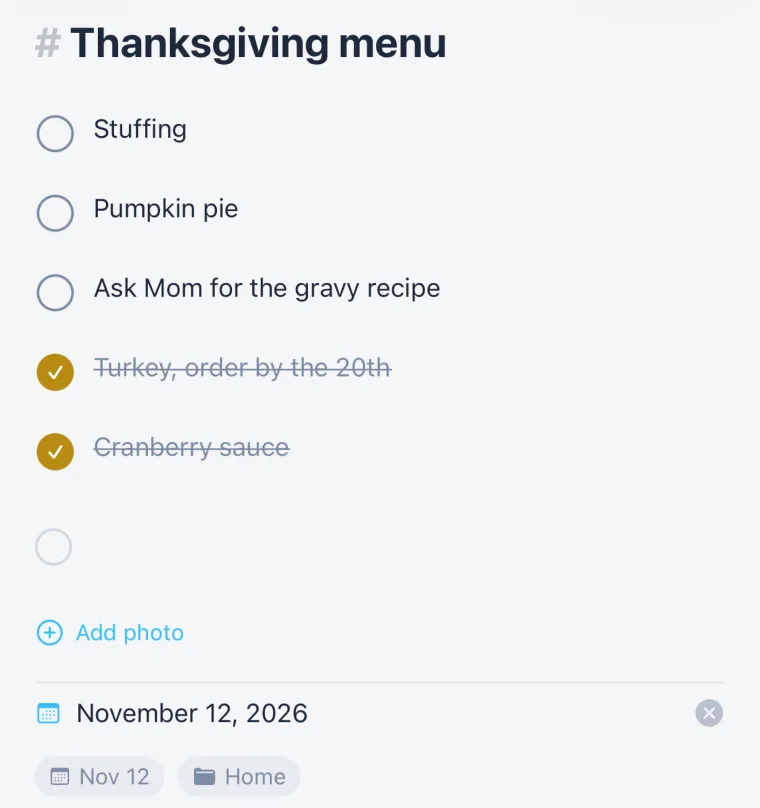
Checklists, headings and photos.
Turn lines into a checklist and tick them off. Add a heading. Add photos: the recipe card, the paint colour, the receipt.
On the day it belongs to.
Give a note a date and it shows on that day in Month, next to the plans. The menu is there on Thanksgiving; the packing list is there on the day you leave.
With the plan it’s for.
A note on a plan shares that plan’s checklist: tick an item in the note and it’s ticked on the plan, and the other way round. One list, two places to see it.
Folders, when you want them.
File notes in folders, “Home,” “Work,” “Trip,” or leave them loose. Nothing needs filing to be found on its day.
Questions people ask.
- Can I keep notes in my calendar app?
- Yes. In Composed, notes and checklists live with your calendar. Give a note a date and it shows on that day in Month.
- Can I dictate a note?
- Yes. Tap the mic and talk; Composed tidies what you said into a note.
- Can a note have photos?
- Yes. Add photos to any note.
- What happens to a note's checklist when it's linked to a plan?
- It's the same list as the plan's: tick an item in either place and it's ticked in both.