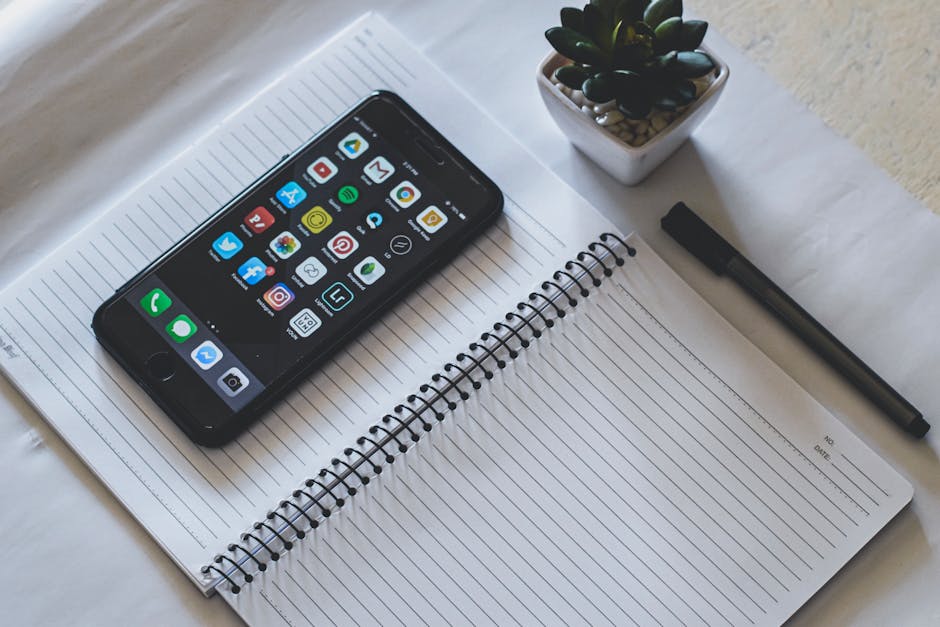
There’s something deeply satisfying about cracking open a fresh paper planner. The smell of the pages, the weight of a good pen, the feeling that this — this — is the year everything finally gets organized.
And then May arrives, and the planner is sitting on a shelf somewhere, half-filled out.
This isn’t a post about why paper planners are bad. They’re genuinely wonderful for a lot of people. But if you’ve ever wondered whether a dedicated planning app might actually serve you better — or if you’re already digital-first and curious whether paper is worth adding — this is an honest look at both sides.

What Paper Planners Do Exceptionally Well
Paper has real advantages that apps genuinely can’t replicate, and it’s worth acknowledging them honestly.
Writing by hand helps you think
There’s good evidence that writing things down by hand engages your brain differently than typing. When you sit down to plan your week in a paper planner, you’re not just recording information — you’re processing it. The slower pace creates space for reflection that a quick phone interaction doesn’t always allow.
If you’re someone who thinks better with a pen in your hand, that’s not a quirk to work around. It’s useful information about how you’re wired.
No notifications, no distractions
Opening a paper planner doesn’t come with a badge count or a pop-up asking you to rate the app. It’s a completely closed loop. You open it, you do the thing, you close it.
For people who find that planning apps cause more stress than they relieve, the simplicity of paper can be genuinely therapeutic. There’s no learning curve, no sync issues, no feature you haven’t discovered yet.
The ritual matters
Weekly planning in a paper planner can become a calming ritual — Sunday evening, good lighting, a drink you like, an hour of quiet reflection. The tactile experience reinforces the habit. It makes planning feel like something you do, not something that happens to you.
If that ritual is working for you, it’s worth protecting.
No battery required
This one’s obvious, but not trivial. A paper planner works on an airplane, in a dead zone, in a basement, during a blackout. It never needs updating and doesn’t change its interface on you.
Where Paper Planners Tend to Fall Apart
If paper planners were perfect, everyone would use them and this comparison wouldn’t exist. Here’s where they genuinely struggle.
They can’t remind you of anything
This is the fundamental limitation of paper. A beautiful weekly spread with your dentist appointment written in at 3 PM does nothing if you’re in a meeting and it slips your mind.
Paper is a great capture system. It’s a poor alerting system. You have to remember to check it — and if you struggle with forgetting appointments, the problem isn’t that you don’t write things down. It’s that you need something to reach out to you.
They don’t travel with you the way your phone does
Your phone is in your pocket or your bag almost every waking moment. Your planner probably isn’t. That asymmetry matters more than it sounds.
When an idea strikes while you’re standing in line at the grocery store, you’re going to reach for your phone. The information then lives in your notes app or your camera roll, and reconciling it with your paper planner is a small friction that quietly accumulates into a bigger problem.
Paper planners are excellent archives. But your life doesn’t happen at your desk — and most of the moments that need capturing happen when you’re moving.
Rescheduling is painful
Anyone who has kept a paper planner knows the particular misery of a heavily-booked week that suddenly shifts. Cross-outs, arrows, asterisks, little notes in the margins. Eventually the page looks like a corrections document and you stop trusting it.
Digital planning handles change gracefully. Drag something to a different day and it’s just… moved. Clean. Done.
They don’t prepare you for what’s coming
A paper planner holds information, but it doesn’t act on it. It won’t notice that you have an early flight next Tuesday and remind you to pack tonight. It won’t suggest you leave earlier because of how far away the venue is.
If you want to go deeper on why preparation matters as much as scheduling, this post on event prep makes the case clearly.

What a Dedicated Planning App Does Well
Not all planning apps are created equal, but a good one solves the exact problems paper can’t.
It meets you where you are
Your phone is already with you. A planning app that lives there doesn’t require a separate habit of “go to your planner” — it integrates into the moment when you actually need it.
Voice input makes this even smoother. If you can say “I have a haircut on Saturday at noon on Broad Street” while you’re still walking out of the salon, that information is captured without friction. No fumbling for a pen, no hoping you’ll remember to write it down later.
Reminders that actually work
A good planning app doesn’t just store events — it tells you about them at the right time. Graduated reminders that give you a heads-up a few days before something, then a day before, then the morning of, work with your natural awareness rather than against it.
Why reminders often don’t work isn’t a mystery — it’s usually because they arrive at the wrong moment, in the wrong tone, with no context. A gentle, well-timed reminder feels different from a generic alarm.
It handles complexity without making a mess
A week with a work trip, a birthday dinner, a doctor’s appointment, and three recurring commitments is genuinely difficult to hold on paper. Digitally, each thing can carry its own details — address, confirmation number, who else is coming — without cluttering a shared space.
Keeping a busy schedule manageable is partly about organization, but it’s also about reducing the cognitive load of holding everything in your head.
It can do things for you
This is the difference that matters most. A good planning app isn’t just passive storage — it can generate preparation reminders, track departure times, pull in flight details from a screenshot, and generally do some of the thinking ahead that you’d otherwise have to do yourself.
That’s not something any planner on paper can offer.
Where Apps Fall Short
Fair is fair. Digital planning has real weak spots too.
They can be overwhelming to set up
The irony of many planning apps is that they require significant planning to use. Tags, projects, priorities, recurring schedules, integrations — the setup cost can be enough to put people off entirely.
If you’ve ever felt buried by your to-do list, adding a new app with fifty features might not actually help. Sometimes the friction lives in the tool itself.
Screens at night aren’t for everyone
Many people find that ending the day with a phone in their face — even for something as innocent as planning tomorrow — disrupts their wind-down. Paper wins here cleanly. A journal or planner before bed doesn’t carry the same cognitive cost.
The aesthetics don’t always spark joy
This might sound shallow, but it matters. Some people genuinely enjoy the look and feel of a beautifully designed paper planner in a way that a digital interface doesn’t replicate. The aesthetic experience is part of the motivation to use it.
If you dread opening your planning app and love opening your planner, that preference is worth respecting.
The Honest Answer: It Depends on What You’re Planning
The real mistake is treating this as a binary choice.
Paper planners are excellent for:
- Weekly reflection and review
- Long-range goals and dreaming
- Journaling alongside your planning
- Anything where thinking slowly on paper helps you process
Digital planning is better for:
- Event-based scheduling with reminders
- Anything that involves logistics (travel, appointments, deadlines)
- Capturing information on the go
- Anything where the app can take action on your behalf
Many people use both — a paper planner for the reflective, visionary work, and an app for the operational stuff that needs to fire at the right time.
If you’re trying to figure out which planning approach actually suits how you think, this guide on finding the right planning method is a good starting point.

A Few Questions Worth Sitting With
If you’re genuinely trying to decide, these might help:
Do you often miss appointments or show up unprepared? Paper won’t fix that. You need something that reaches out to you.
Do you feel calmer when you write by hand? That’s real, and worth building into your system.
Is your life mostly consistent, or does it change a lot? The more things shift and reschedule, the more painful paper becomes.
Do you already have your phone nearby all day? Then a planning app has a massive convenience advantage you might as well use.
Are you looking for a planning ritual or a planning system? Both are valid — they just call for different tools.
Closing Thought
The best planning tool is the one you actually use. If a paper planner covered in colorful pens makes you feel organized and alive, keep going. If you’ve had three planners peter out by February, it might not be a discipline problem — it might just be the wrong tool.
For people who want the operational side handled without a steep learning curve, Composed auto-generates preparation reminders when you add events, sends gentle graduated reminders in the days leading up, and can even pull in travel details from a screenshot — so the prep happens quietly in the background while you get on with your day.
For people who want the operational side handled — without a steep learning curve — Composed automatically generates a preparation checklist when you add an event, sends graduated reminders in the days leading up (gentle awareness early, precise timing close to the event), and calculates when you need to leave based on real travel time. If you have a flight, you can screenshot your confirmation and Composed extracts all the details automatically. It’s designed to help you show up prepared instead of rushed — and it stays composed about it the whole way through.